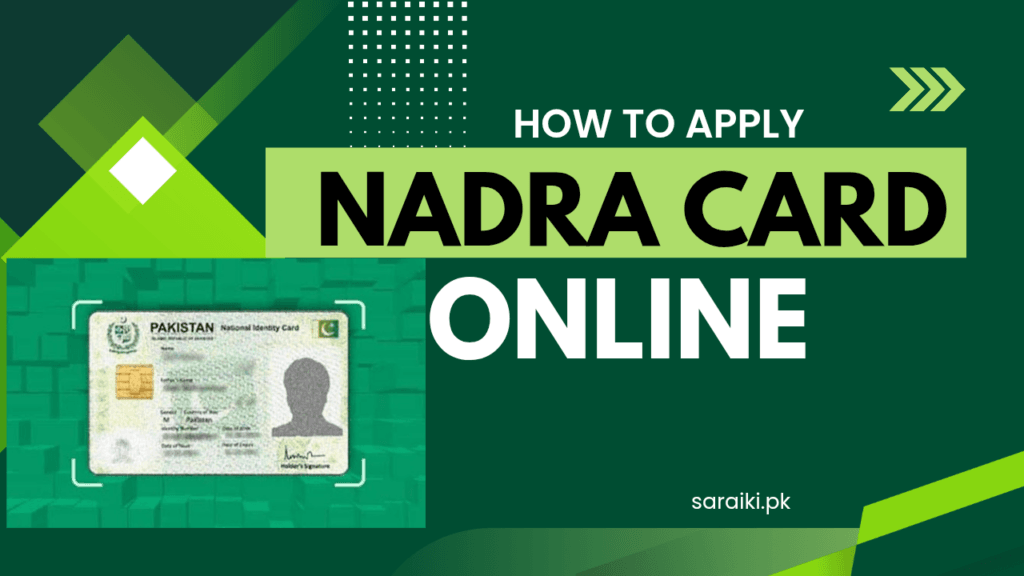

Okay, so you need your NADRA card and you are thinking, do I really have to stand in that long line under the sun just to get it? Good news! You do not have to. NADRA has made things way easier now. You can actually apply for your ID card from your phone. Yes, seriously .just from your phone, sitting at home, drinking chai. Sounds great, right?
In this guide, I am going to tell you everything about how to apply for a NADRA card online in Pakistan. I will go step by step so even if you have never done this before, you will understand it easily. Whether you are applying for the first time, renewing an old card, or just lost your CNIC this guide is for you.
What is a NADRA Card (CNIC)?
NADRA stands for National Database and Registration Authority. They are the government organization in Pakistan that makes your identity card. Your CNIC (Computerized National Identity Card) is that plastic card with your photo, your 13-digit number, and your fingerprint info on it.
This card is super important. You need it for almost everything in Pakistan opening a bank account, getting a SIM card, going to school or college, voting in elections, applying for a job, even getting a passport. Without a CNIC, life becomes really hard. So it is very important to have one and keep it updated.
The good news is that NADRA has introduced the Smart NIC a new chip-based card that is much more secure. And now they also have an app called PakID that lets you apply online without visiting a NADRA office.
Who Can Apply for a NADRA Card Online?
Before we get into the steps, let us quickly check who can use the online method:
- Any Pakistani citizen who is 18 years or older can apply for a CNIC.
- People who want to renew their expired or expiring card.
- People who want to update their information — like address, marital status, etc.
- People who have lost their CNIC and need a duplicate.
- Overseas Pakistanis can also use the PakID app to apply for NICOP (the overseas version of CNIC).
So basically, whether you are a fresh applicant or someone who just needs to update something — you can do it online. Easy!
Documents You Need Before Applying
You cannot just open the app and start clicking randomly. You need to have some documents ready first. Do not worry, it is not a huge list. Here is what you will need:
- Original Birth Certificate or B-Form This proves when and where you were born.
- Parents’ CNIC — A copy of your father’s or mother’s identity card.
- Proof of Residence — This can be a utility bill (electricity, gas, water) or a rental agreement showing your address.
- Matric Certificate: Some centers accept this instead of a birth certificate if you have it.
- Marriage Certificate — Only if you are married and want it on your card.
- A Clear Recent Photo: The app will guide you on how to take a proper photo for your card.
- Debit or Credit Card : For paying the fee online (if you are choosing urgent or executive processing).
Keep scanned copies or clear photos of all these documents saved on your phone. That will save you a lot of time during the application.
Step-by-Step Guide: How to Apply for NADRA Card Online
Now comes the main part. Let me walk you through the entire process, one step at a time. It is actually not that complicated once you know what to do.
Step 1 – Download the PakID Mobile App
The first thing you need to do is download the official NADRA app. It is called PakID and it is made by NADRA itself. This is the official app — do not download any other fake app.
- If you have an Android phone, go to Google Play Store and search for “Pak Identity” or “PakID”.
- If you have an iPhone, go to the Apple App Store and search the same thing.
Download it, install it, and open it. The app is free to download. The NADRA processing fee only applies when you actually submit an application.
Step 2 – Create Your Account
Once the app is open, you will see an option to Register or Create a New Account. Tap on that. You will need to fill in some basic details like:
- Your full name
- Your CNIC number (if you already have one) or your B-Form number (if this is your first time)
- Your email address
- Your mobile number
- A password you want to use for logging in
After you fill these in, the app will send a verification code (OTP) to your mobile number. Enter that code to verify your account. Done! Now you have your PakID account.
If you already have an old account from before, just log in with your existing email and password. Simple.
Step 3 – Select the Type of Application
Once you are logged in, the app will show you different options. You need to choose what kind of application you want to submit. The main options are:
- New CNIC — For people applying for the first time (18 years or older).
- Renewal — For people whose card is expired or about to expire.
- Modification — For changing information like your address or marital status.
- Reprint / Duplicate — For people who lost their CNIC or it got damaged.
- NICOP — For Pakistanis living abroad.
Choose the one that fits your situation and move on to the next step.
Step 4 – Fill in Your Personal Details
Now the app will ask you to fill in your personal information. This includes things like your full name, father’s name, date of birth, current address, and family details. Make sure everything you fill in is 100% correct.
This is very important. If you give wrong information, your application can be rejected or delayed. And according to NADRA’s rules, giving fake information on purpose can even lead to legal action under the NADRA Ordinance 2000. So please, just be honest and careful.
Step 5 – Upload Your Documents
After filling in your details, the app will ask you to upload photos of your documents. This is where those scanned copies you saved earlier will come in handy.
Make sure the photos of your documents are:
- Clear and not blurry
- Fully visible — no cut edges
- Well-lit — taken in a bright place, not in the dark
- Not too large in file size (the app will usually tell you if there is a problem)
Upload each document as the app requests. This step might take a few minutes but take your time and do it properly.
Step 6 – Biometric Verification
This is the part that might sound a little confusing, but it is actually not that bad. The PakID app lets you do biometric verification right from your phone. This includes:
- Your Photo — The app will guide you to take a proper photo using your phone’s front camera. Follow the on-screen instructions carefully — no sunglasses, no hat, good lighting, plain background.
- Your Signature — You can do a digital signature directly in the app.
- Fingerprints — For fingerprints, the app gives you special instructions on how to submit them (usually through a paper-and-ink form that you then photograph and upload).
Follow each instruction carefully and you will be fine.
Step 7 – Choose Your Processing Speed and Pay the Fee
Now here comes the part about money. NADRA has three different speeds for processing your application:
| Category | Processing Time | Fee (Renewal/Modification) |
|---|---|---|
| Normal | Around 30 days | Rs. 750 (Free for first-time new applicants) |
| Urgent | Around 12 days | Rs. 1,500 |
| Executive | Around 7 days | Rs. 2,500 |
If you are applying for a CNIC for the very first time and you are a new applicant, the normal category is actually free. You do not have to pay anything. But if you need your card fast — like for a job interview or travel — then you can pick urgent or executive and pay the fee online using a debit or credit card.
NADRA also accepts payments through mobile wallets like JazzCash and Easypaisa in some cases, so you have options.
Step 8 – Review and Submit Your Application
Before you hit that submit button, the app will show you a summary of everything you filled in. Please read it carefully. Check your name spelling, your date of birth, your address — everything. Once you are happy that everything is correct, go ahead and submit your application.
After you submit, you will get a confirmation message on your email and phone with your Application Tracking ID. Save this number. You will need it to check the status of your application later.
Step 9 – Track Your Application
Now you just wait. But you can keep checking your progress! There are two easy ways to track your NADRA application:
- Send an SMS to 8400 — Just text your Application Tracking ID to 8400 and you will get a reply with your current status.
- Log in to the PakID app — Go to your dashboard and check the status from there anytime you want.
Once your card is ready, it will be sent to the address you provided during the application. How cool is that? Your CNIC delivered right to your home!
Can You Also Apply Through the NADRA Website?
You might be wondering — what about the old website, id.nadra.gov.pk? Well, NADRA’s Pak Identity website is still there and it allows you to apply online through a browser too. The process on the website is quite similar to the app. You create an account, select your category, fill in details, upload documents, and pay online.
However, NADRA has been pushing more and more services to the PakID mobile app because it is easier and more secure. For some services like the Pakistan Origin Card (POC), the mobile app is now the only accepted method. So if you have a smartphone, using the app is always the better and safer choice.
What If You Cannot Apply Online?
Honestly, not everyone has a smartphone or internet access. And that is totally fine. You can still visit your nearest NADRA Registration Center (NRC) in person. The process there goes like this:
- Bring all your original documents (birth certificate, parents’ CNIC, etc.).
- Fill out the physical application form at the center.
- A NADRA worker will take your biometrics — fingerprints, photo, and signature — right there.
- Pay the fee at the counter.
- You will get a token number or tracking ID to follow up later.
One helpful tip for in-person visits — if you bring a blood relative with you (like your father, mother, brother, or sister), they can give their biometrics at the center on your behalf instead of you needing someone to sign/attest the form. This makes it quicker and easier.
To find the NADRA center nearest to you, go to www.nadra.gov.pk and use their center locator tool.
How to Check Your NADRA Card Status Online
After you have submitted your application, it is only natural to keep wondering — is my card ready yet? Here are all the ways you can check:
- SMS: Send your Tracking ID to 8400 from your Pakistani mobile number.
- PakID App: Log in and go to your application history to see the latest status.
- NADRA Website: Visit the Pak Identity website and log in to your account.
- Helpline: You can call NADRA’s helpline at 1777 (toll-free for mobile users) to get updates from a real person.
Common Mistakes People Make (And How to Avoid Them)
Okay so I want to save you from some headaches. Here are the most common mistakes people make when applying for a NADRA card online, and what you should do instead:
- Blurry document photos: A lot of people upload photos that are unclear. The app will reject them. Always take photos in good light and check them before uploading.
- Spelling mistakes in names: Double-check your name, father’s name, and date of birth. A small typo can cause big delays.
- Wrong address: Your card will be delivered to the address you give. If you enter the wrong one, you might not receive it.
- Not saving the tracking ID: Always write down or screenshot your application tracking ID. Without it, you cannot check your status easily.
- Choosing the wrong category: If you need your card urgently, do not choose normal processing. Pick urgent or executive. Once you pay and submit, the fee is usually non-refundable.
- Using a fake or unofficial app: Only use the official PakID app from NADRA. Do not trust random apps or websites that claim to help with NADRA applications for a fee.
Special Cases – Overseas Pakistanis
If you are a Pakistani living outside Pakistan, you might be thinking — okay but this does not apply to me because I am not in Pakistan. Wrong! NADRA has made it possible for overseas Pakistanis to also apply online through the PakID app.
Overseas Pakistanis apply for a NICOP (National Identity Card for Overseas Pakistanis) instead of the regular CNIC. The process is quite similar — you download the app, create an account, fill in your details, and submit. The fee for NICOP is usually in US dollars and varies depending on the country you are applying from.
You will also need to provide details of two witnesses who are valid NICOP holders if you are applying from outside Pakistan. The card will then be delivered to your address abroad.
Previously, overseas Pakistanis had to visit the Pakistani embassy or consulate for everything. Now, a lot of that can be done right from home. NADRA has really improved things for the diaspora.
NADRA Card Validity – How Long Does It Last?
A regular CNIC is valid for 10 years. After 10 years, it expires and you need to renew it. Make sure you renew your card before it actually expires, because once it expires you cannot use it for official things like banking or travel.
NADRA usually sends reminders before your card expires. But it is still a good habit to check your card’s expiry date yourself so you do not get surprised.
Why Applying Online Is Actually Better
I know some people are old-school and prefer going to the office in person. And that is okay. But let me just tell you a few reasons why applying online through the PakID app is honestly the better option:
- No queues: You do not have to stand in a long line for hours. Apply from your sofa.
- Available 24/7: The app does not close at 5 PM like an office does. You can apply at midnight if you want to.
- Home delivery: Your card comes to your door. You do not have to go pick it up.
- Easy tracking: You can track your application anytime with just an SMS or through the app.
- Safe and secure: The app uses biometric encryption and secure payment gateways, so your information is protected.
NADRA has invested a lot in making this digital system work for everyone. It is part of Pakistan’s bigger push toward becoming a more digital country. And honestly, it has made life much more convenient.
NADRA Helpline and Support
If you ever get stuck during the online process or have a question, NADRA has several ways to reach them:
- Helpline: 1777 — Toll-free for mobile users across Pakistan.
- NADRA Official Website: www.nadra.gov.pk
- Pak Identity Website: id.nadra.gov.pk
- Online Complaint Portal: id.nadra.gov.pk/complaint/
- Feedback Portal: id.nadra.gov.pk/feedback/
NADRA also launched a 24/7 online chat service where you can talk to someone if you are stuck. You can find it through their official messenger page. This is really helpful especially for overseas Pakistanis in different time zones.
Frequently Asked Questions (FAQs)
Final Thoughts
So that is everything you need to know about how to apply for a NADRA card online in Pakistan. Honestly, it is not as complicated as it might seem at first. Once you download the PakID app and go through it step by step, you will see how simple NADRA has made this whole process.
Just remember to keep your documents ready, fill in correct information, take clear photos, and save your tracking ID after you submit. That is literally all it takes. No standing in queues, no taking a day off from work or school, no stress.
Pakistan is getting more digital every day, and NADRA is a big part of that. Use these tools — they are made for you. If you ever have trouble, just call 1777 and a NADRA representative will help you out.
Good luck with your application! And if this guide helped you, share it with a friend or family member who might need it too.













Add Your Comment
Comments
No comments found.